Google Lens
Google LLC
4.7
AD
Release Details
| Publisher Country | US |
| Country Release Date | 2019-08-16 |
| Categories | Tools |
| Country / Regions | US |
| Developer Website | Google LLC |
| Support URL | Google LLC |
| Content Rating | Everyone |
AD
Google Lens lets you search what you see, get things done faster, and understand the world around you—using just your camera or a photo.
SCAN & TRANSLATE TEXT
Translate words you see, save a business card to your contacts, add events to your calendar from a poster, and copy and paste complicated codes or long paragraphs into your phone to save time.
IDENTIFY PLANTS & ANIMALS
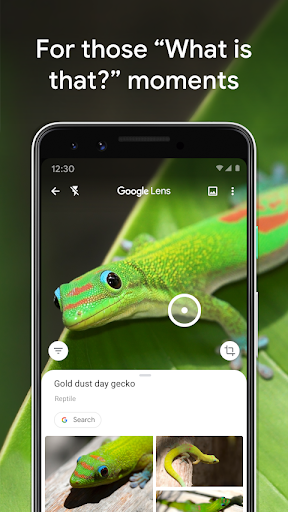
Find out what that plant is in your friend’s apartment, or what kind of dog you saw in the park.
EXPLORE PLACES AROUND YOU
Identify and learn about landmarks, restaurants, and storefronts. See ratings, hours of operation, historical facts, and more.
FIND THE LOOK YOU LIKE
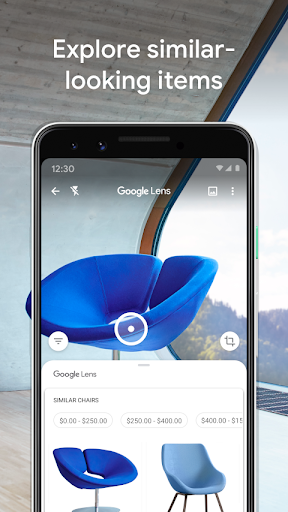
See an outfit that catches your eye? Or a chair that’s perfect for your living room? Find similar clothes, furniture, and home decor to the one you like.
KNOW WHAT TO ORDER
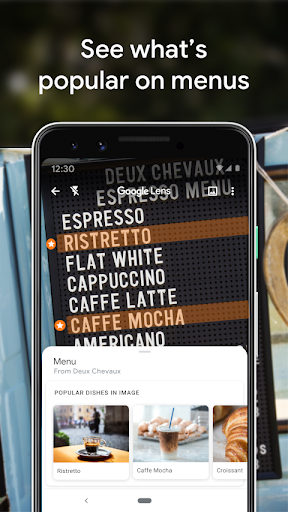
See popular dishes on a restaurant menu based on reviews from Google Maps.
SCAN CODES
Quickly scan QR codes and barcodes.
*Limited availability and not available in all languages or regions. For further details go to g.co/help/lens. Some Lens features require an internet connection.
Average Rating
2.79M+
Rating Breakdown
Featured Reviews
By Kristina Talaga
2025-01-07
Version 1.17.240515009
feature_requestsperformance_and_bugsThis has helped me so many times trying to figure out what things were, but the real winner here is the translate option! I've never used it before until now! I recently bought something where the instructions were in another language. Pulled up Google Lens and was able to translate it. I actually started my screen recorder, and I clicked the "listen" open to have it read. Now when I go to put this together, I'll just play the screen recording and pause it whenever I need to!
By Mary Mccabe
2026-01-22
Version 1.18.250731009
contentI use this mo fo several times, and I mean several, everyday. it's all about how good the pictures you've taken are, if you take good shots, you get useful results to identify the origin or maker or price of any item. don't get me wrong, there have been two separate occasions when I couldn't find the item through the lens results, one of those times I could not make lens understand that the item was like the item pictured but had a small barely detectable difference. it's truly the best.
By George Cosson
2026-02-14
Version
servicecontentLens is just the slickest little app for finding out what something is. A painting? No problem. Likewise a tree, flower or other plant. I don't use it all that often, but its never failed to give me data to work with. It can't necessarily distinguish between a photo and an original painting, but it's pretty good at recognizing the artist's signature.
Screenshots


AD
AD